2 Jan 2026 - Survival probability in Singapore from mortality rates

Sometimes, data is abundant but visualisation and insights extraction are issues. For example, most people would know the life expectancy for citizens of their country, but information about the standard deviation of an average life is scare. It makes a difference for life planning if the life expectancy of an average life is 83.5±1 vs 83.5±20. The former would bring about less uncertainties to life, while the latter turns life into a capricious voyage with unpredictable ends.

One way to visualise the standard deviation of the life expectancy would be plot the survival probability of an average life. This can be calculated from the mortality rates. Here is an interactive tool to visualise the data.
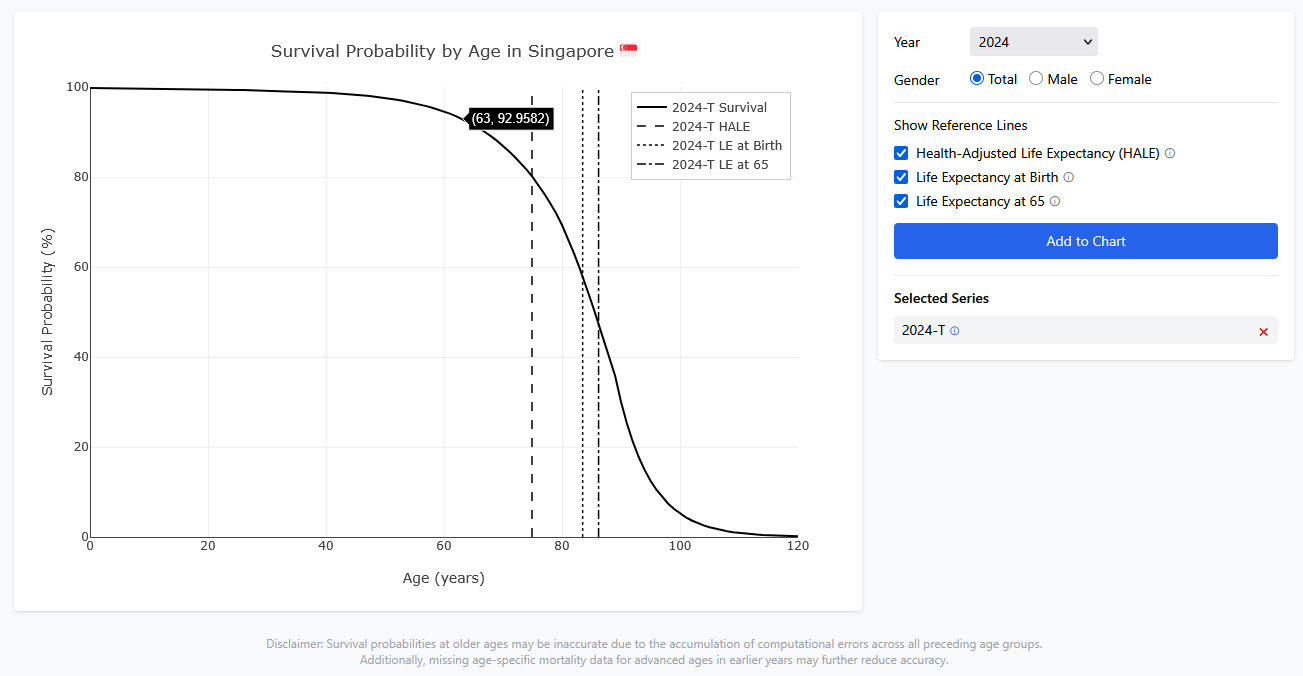
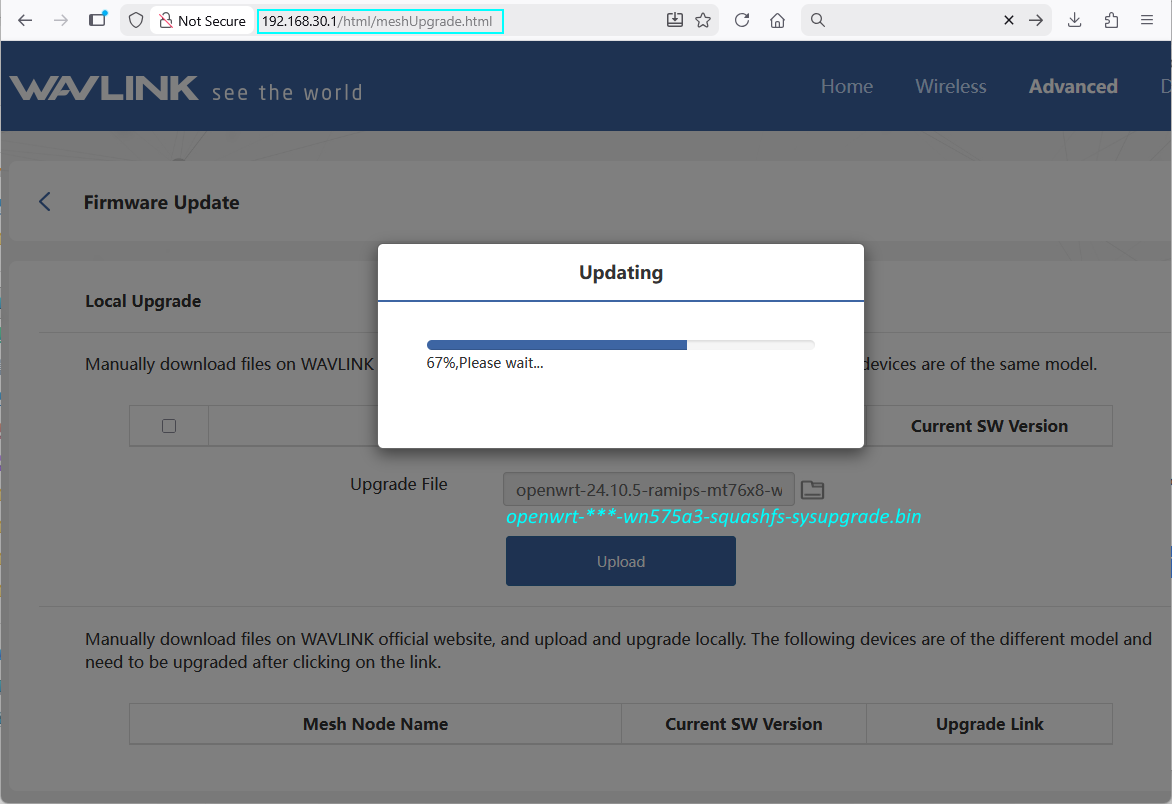
Fig.: Survival probaility in Singapore from 2024 data

References

GitHub source code

1 Jan 2026 - Flashing of OpenWrt to newer model of WN575A3

I previously flashed OpenWrt onto a Wavlink WN575A3 wireless repeater and deployed more of them at home. One of them died recently as it could no longer be powered so, so I bought a new one to replace it.

It looks like the recent 2025 versions of WN575A3 now comes with a slightly different factory firmware. The key difference is that the repeater’s homepage is now at 192.168.30.1 instead of 192.168.10.1. Doing a port check, there are only opened ports at 80 and 443, with no open ports at 21,22,23,2323. Fortunately, it is still possible to get OpenWrt flashed onto the router. In fact, it is easier now by just visiting http://192.168.30.1/html/meshUpgrade.html and uploading the sysupgrade firmware corresponding to the Wavlink WN575A3 on OpenWrt. The Wavlink initial configuration page can be skipped.

Fig.: Page to upload OpenWrt firmware

After flashing to OpenWrt, only 1 of the 2 radios were the 5GHz wifi was available. Checking with lspci, it looks like I have a new MediaTek chip that did not match the firmware downloaded from OpenWrt.

root@WL-WN575A3:~# lspci

00:00.0 PCI bridge: MEDIATEK Corp. Device 0801 (rev 01)

01:00.0 Unclassified device [0002]: MEDIATEK Corp. Device 7663 

root@WL-WN575A3:~# opkg update && opkg install kmod-mt7615-firmware kmod-mt7615-common
...

After installing the drivers, run the following to reconfigure the wireless.

rm /etc/config/wireless
wifi config
uci show wireless

The Wavlink WN575A3 should now be working great with OpenWrt.

23 Dec 2025 - Site review of SAFRA Jurong BBQ Pits

There are barely any pictures of the SAFRA Jurong BBQ pits on the internet that will be helpful to plan ahead or to decide if SAFRA Jurong is a worthwhile place to host a BBQ. Thus, I headed off to check it out.

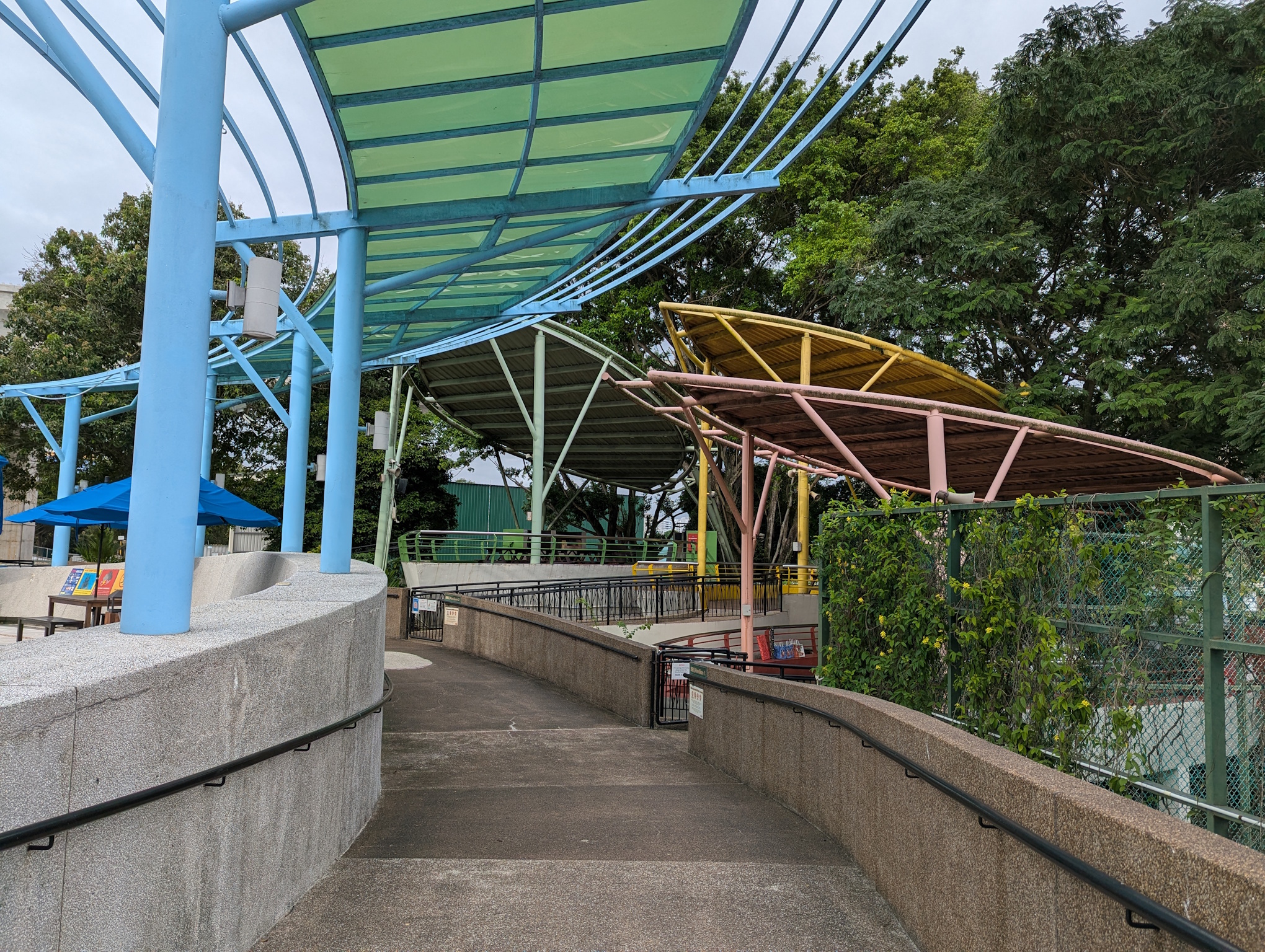
Upon entering SAFRA Jurong, continue walking straight ahead until you pass Springleaf Prata, then continue along the path until you see the pit areas.

Fig.: Path to SAFRA Jurong BBQ pits

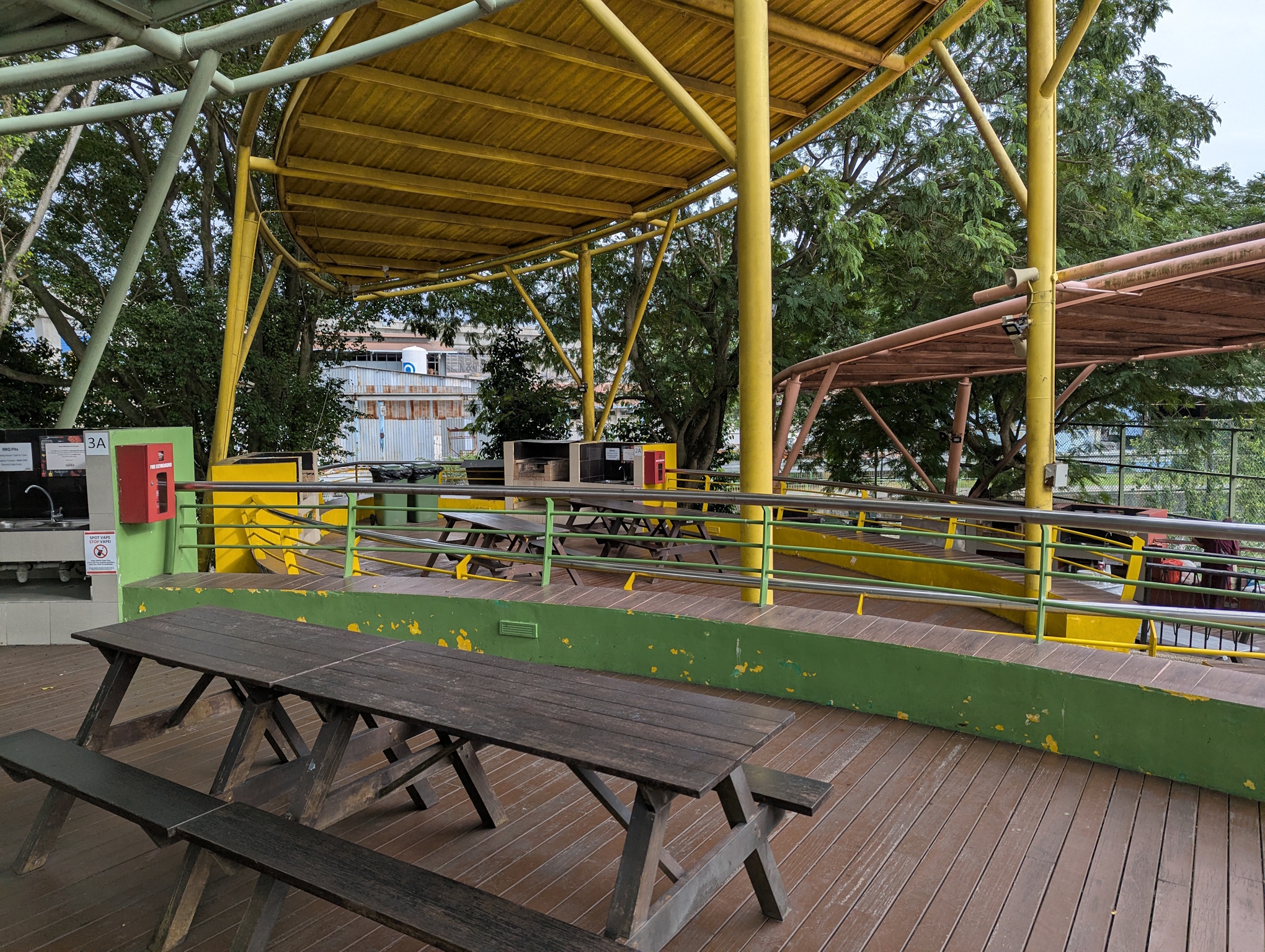
There are 3 clusters of 2 pits each. Each of these 6 pits can be booked individually.

Fig.: Overview of all 3 clusters of 2 pits per cluster

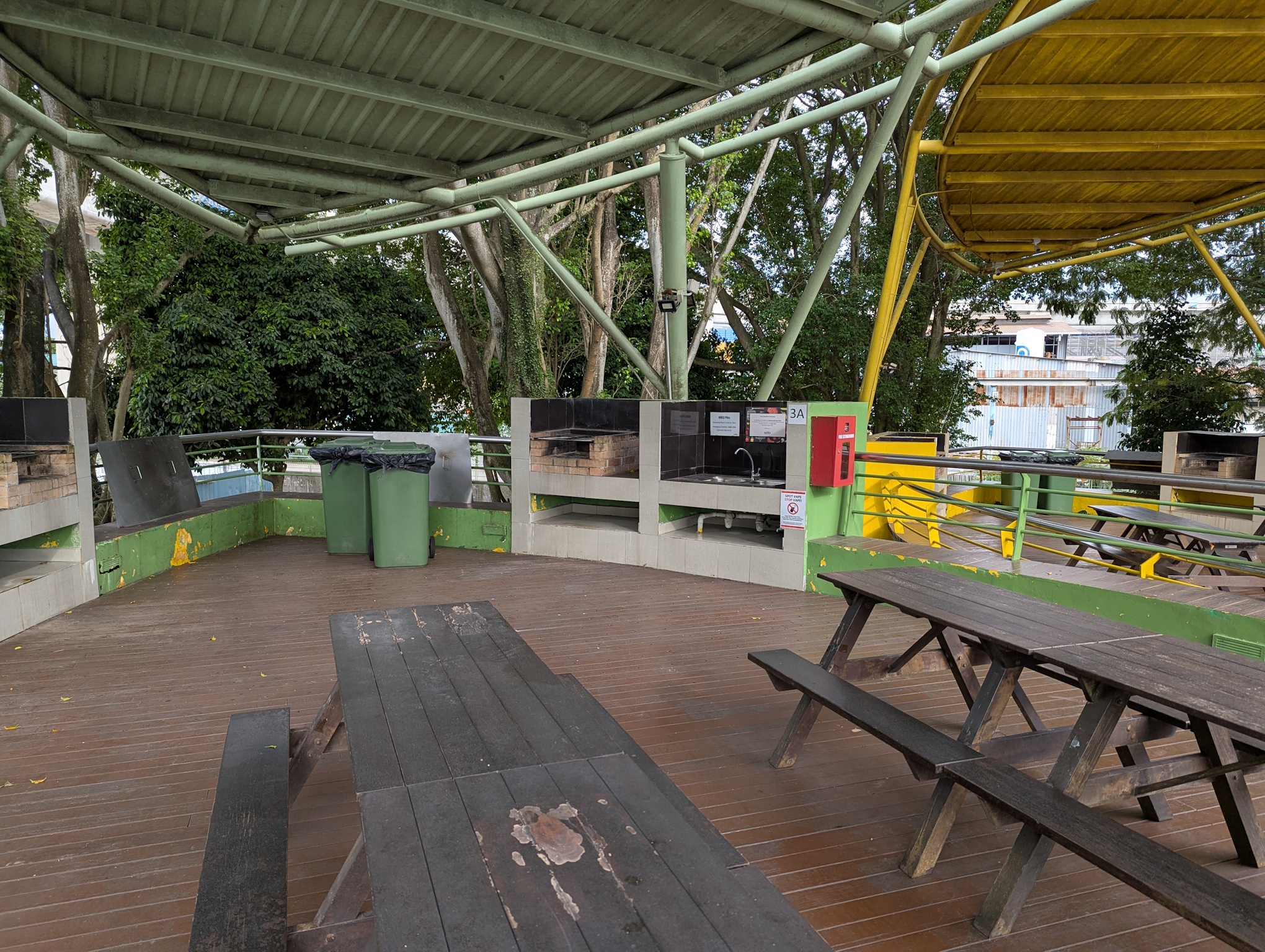
Fig.: Overview of a single area

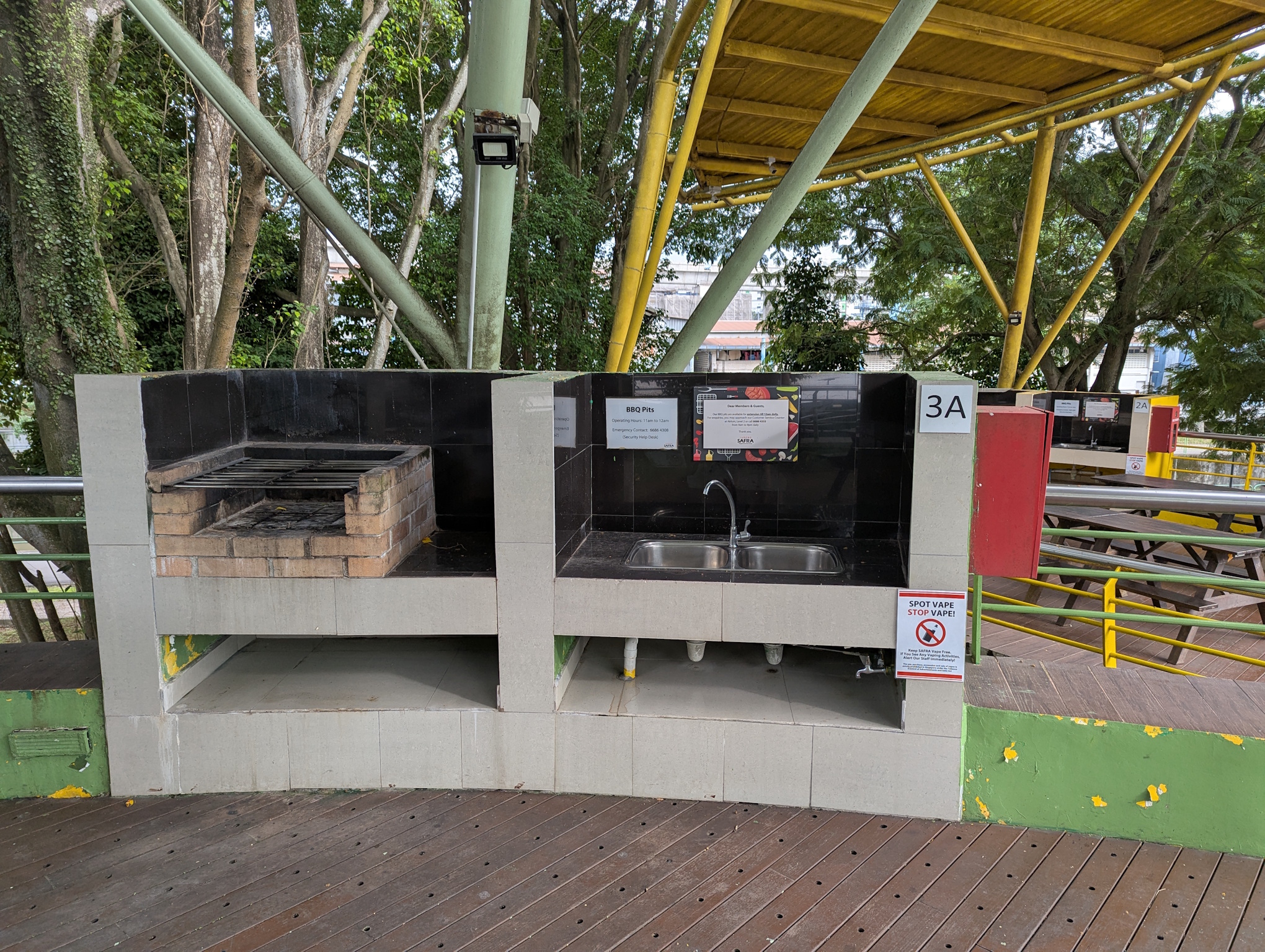
Each pit comes with a washing area, 2 tables and a trash bin. If no one has booked the other pit, I guess you can use all the 4 tables in the cluster.

Fig.: Pit and washing area (no handsoap)

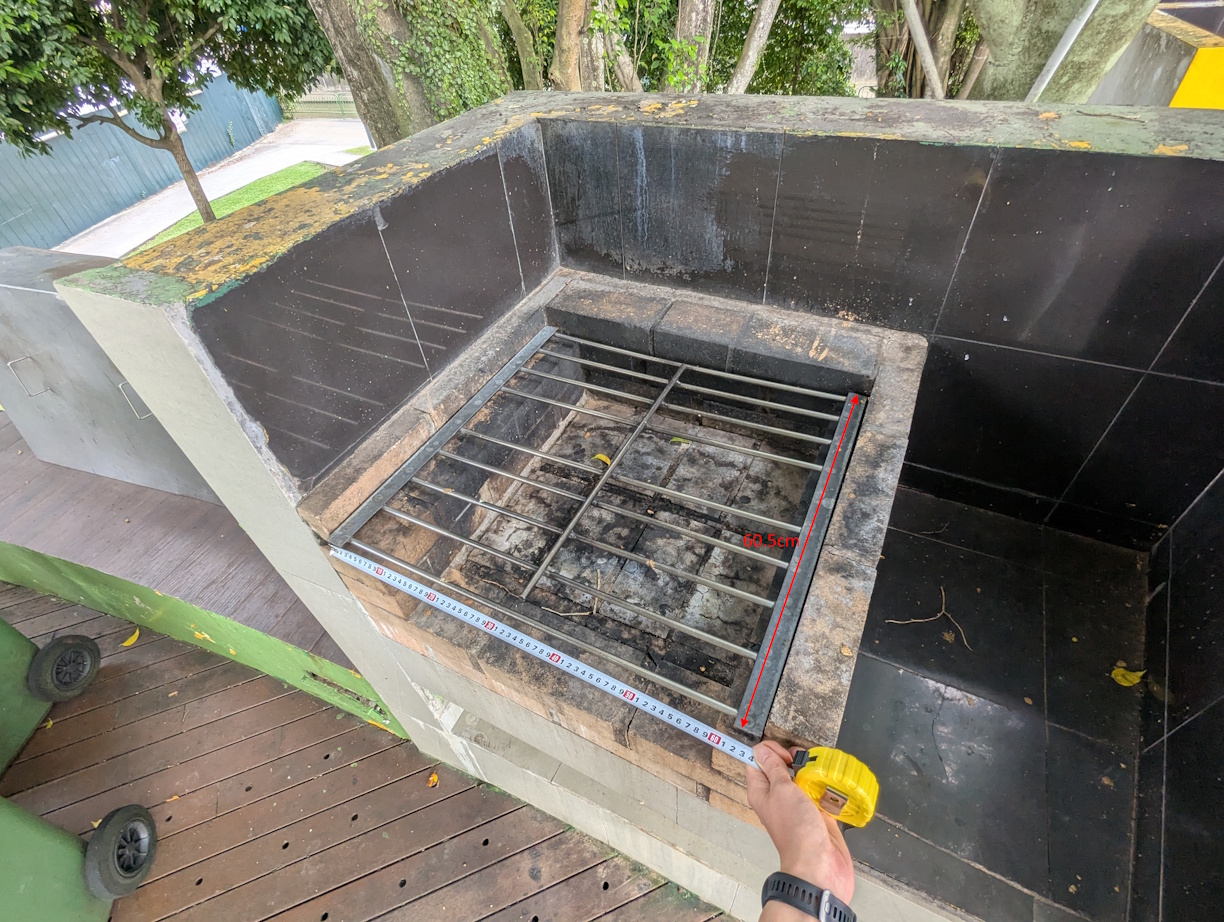
A 60cm x 60cm mesh will fit the pit perfectly. The pit is mostly sheltered, but if there are strong winds with rain, some rain might hit the pit. The BBQ mesh at NTUC Fairprice are either 19”x19” (48.3cm x 48.3cm) or 19”x34” (48.3cm x 86.4cm) so the 19”x19” is fine enough ((48.3/60)²=65% coverage) if there is no time to source for a rarer 60cm x 60cm mesh. A 19”x34” mesh will be problematic as it will have to stick out at the front.

People can only work on the pit from 1 (maybe 2) sides so there is a limit on the rate at which grilling can be done.

Fig.: Measurement of pit dimensions